How to Stop Your Map Pin From Vanishing Behind Competitor Pins
How to Stop Your Map Pin From Vanishing Behind Competitor Pins (and Reclaim Your Local Reach)
It is the ultimate frustration for any local business owner: you’ve spent months optimizing your profile, gathering reviews, and posting updates, yet when you zoom into your neighborhood on Google Maps, your business is nowhere to be found. You aren’t suspended, and you haven’t been penalized – you’ve simply become a “Ghost Pin.” Your google business profile seo efforts seem to have hit a wall where your physical marker is visually buried or filtered out by a nearby competitor. In my years as a Local SEO Consultant and Google Business Profile Product Expert, I’ve seen this phenomenon accelerate. As we move into 2026, the local algorithm has shifted. Proximity is no longer just a measure of physical distance; it is now defined by “verified presence.” If Google’s AI-driven filters can’t distinguish your unique footprint from a neighbor’s, you vanish. This guide will show you exactly how to stop the “vanishing pin” syndrome and reclaim your territory in the Map Pack.
Before we dive into the technicalities, it is important to understand that the 2026 local landscape is significantly more aggressive than previous years. We are no longer just fighting for rank; we are fighting for “visual real estate.” If your pin is stacked directly on top of another business in the same category, Google’s “deduplication” filter will often hide one to provide a cleaner user experience. You might be ranking in the top 10, but if you aren’t in the top 3 visually, you are losing leads to the competition. By following this 2026 action plan, you can ensure your pin stays anchored and visible. [Why Your 2025 SEO Guide Destroys 2026 Local Shop Rankings] is a cautionary tale for those who rely on old tactics, but today, we focus on the fix.
The “Shadow Filter”: Why Your Google Business Profile is Ghosting Local Leads
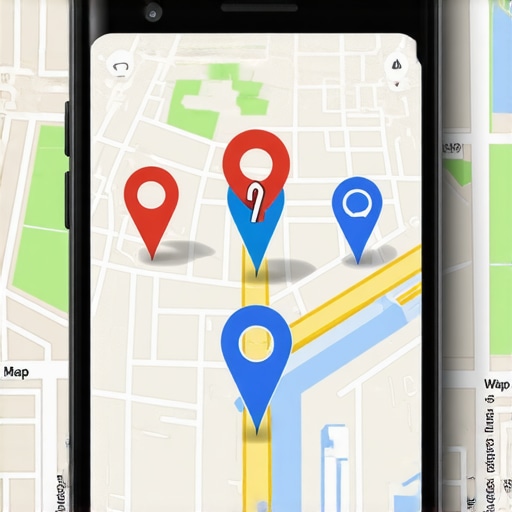
The “Shadow Filter” is a technical reality of the modern Map Pack. It occurs when Google’s algorithm decides that two or more businesses are too similar or too close to each other to show both simultaneously at a certain zoom level. This often results in “latitude drift” or “radius blocks,” where your pin is effectively suppressed. According to research highlighted by Search Engine Land, local rankings are now almost entirely dependent on where Google *thinks* your pin is placed, rather than where your front door actually is. If your coordinates are even slightly off, or if your building houses multiple similar businesses, you risk being filtered out of the primary view.
Another rising threat is what Third Marble Marketing identifies as the “Google Maps Pin Scam.” Malicious competitors or “lead gen” scammers often use the “Suggest an Edit” feature to move your pin just a few dozen yards away – perhaps into a nearby lake, a residential street, or behind a larger building. This subtle move can trigger a radius block, making your business invisible to customers searching in your immediate vicinity. When your pin moves, your local authority drops because the “Interaction Heat” (the clicks and calls generated from that specific coordinate) is reset or diluted. [This 2026 Google Maps Action Plan Fixes Your Invisible Map Pin] starts with identifying these “Shadow Filters” before they drain your revenue.
Furthermore, Service Area Businesses (SABs) face a unique dilemma often discussed in local SEO circles on Reddit. Since SABs have hidden addresses, they are often at the mercy of Google’s “centroid” logic. If Google cannot verify a physical anchor point for your service area, your pin may vanish entirely in favor of “bricks-and-mortar” competitors. The key to beating the shadow filter is to provide “Proof-of-Location” signals that are so strong the algorithm cannot justify hiding your pin. You need to anchor your digital presence to the physical world with undeniable data points.
The Three Pillars of the 2026 Google Maps Algorithm
To stop your pin from vanishing, you must master the three pillars that govern the 2026 algorithm: Proximity, Relevance, and Prominence. While these have been around for years, their application has evolved. As Cleargrade AI points out, these aren’t a “black box” anymore; they are measurable metrics that determine your “Grid Rank” – your ability to rank consistently across a geographic grid rather than just at your front door.
Proximity is the most volatile pillar. In 2026, Google uses “hyper-precise” location data from mobile users to determine if a business is actually where it says it is. If your pin is buried, it’s often because Google lacks confidence in your exact coordinates. Relevance refers to how well your profile matches the search intent. If you want to rank higher on google maps, your categories, attributes, and “hidden” keywords must align perfectly with local search trends. Finally, Prominence is your brand’s digital weight. This includes your review velocity, backlink profile, and mentions across the local web.
When these three pillars are balanced, your pin gains “Mass.” In the world of Google Maps, “Mass” prevents your pin from being pushed aside by competitors. Using a professional google maps ranking service can help you visualize where your prominence is lacking. If you have high relevance but low prominence, a competitor with a larger digital footprint will “swallow” your pin at higher zoom levels. To stay visible, you must outshine the competition in at least two of these three pillars simultaneously. This creates a “gravity well” that keeps your pin visible even when zoomed out.
The 2026 Google Maps Action Plan: 5 Moves to Stop the Drop
Reclaiming your visibility requires a proactive strategy. You cannot simply “set and forget” your profile and expect to stay visible against aggressive competitors. Follow these five moves to anchor your pin and improve local search presence.
- 1. Physical Proof of Service (Transaction Proof): In 2026, standard photos of your office are no longer enough. Google’s AI can now analyze images for “transactional context.” To prove your location, upload photos that show customers interacting with your business at your physical address. Include photos of local delivery vehicles with your branding, “Thank You” notes from local clients, and geo-tagged images of your team performing services in the community. This creates a “Proof-of-Location” trail that anchors your pin. [7 Proof-of-Location Tasks for Your 2026 Business Profile Checklist] provides a deeper dive into this requirement.
- 2. Video Verification Mastery: Many businesses get stuck in a verification loop where their pin vanishes because Google “unverifies” the location. To break this, use the Video Verification method strategically. Start the video from outside showing your street sign, then pan to your building number, and walk into the office to show your business license or tools of the trade. This is the ultimate “Trust Signal” for the 2026 algorithm. [5 Business Profile Checklist Fixes for 2026 Verification Wins] can help you navigate this often-frustrating process.
- 3. Generating Interaction Heat: Google prioritizes pins that people actually interact with. If your pin is “cold” (no one clicks it), it will vanish. Drive “Interaction Heat” by encouraging customers to use the “Request a Quote” or “Message” features directly on your profile. High engagement signals – such as requests for directions from various starting points – tell Google that your pin is a high-value destination, making it less likely to be filtered.
- 4. Audit for Malicious Pin Edits: You must regularly check your “Suggested Edits” dashboard. Competitors often try to move your pin to a side street or change your primary category to something less relevant. Use local seo ranking tools to monitor your pin’s coordinates. If you notice a sudden drop in visibility, check if your latitude and longitude have been subtly altered. Reverting these changes quickly is vital to maintaining your “Grid Rank.”
- 5. Hyperlocal Content and Geo-Targeted Pages: Your website must support your map pin. Create service pages that mention specific local landmarks, neighborhoods, and intersections near your business. By linking your Google Business Profile to these hyperlocal pages, you reinforce your relevance to that specific coordinate. This makes it harder for Google to “ghost” your pin in favor of a competitor who only mentions the city name.
Implementing these moves requires consistency. The 2026 algorithm rewards “freshness.” If you stop providing proof of service or generating interaction heat, your pin’s “gravity” will weaken, and the shadow filter will return. This is why a comprehensive google business profile seo strategy is a continuous process, not a one-time setup.
Technical Fixes for “Dead Zone” Radius Drops
Sometimes, a pin vanishes not because of a filter, but because it has fallen into a “Dead Zone.” This typically happens when there is a conflict in your NAP (Name, Address, Phone Number) data across the web, causing Google to lose confidence in your primary location. When confidence drops, Google “pulls back” your ranking radius, making you invisible to anyone more than a few blocks away. To identify these dead zones, you need to use a google maps rank tracker. These tools provide a visual grid showing exactly where your ranking drops off. If you see a sharp “cliff” in your rankings, you’ve hit a radius block.
The first technical fix is to audit your citations. Even a small discrepancy, like “Suite 100” vs. “#100,” can cause enough friction in the algorithm to “un-anchor” your pin. Ensure your NAP is identical on your website, your GBP, and major directories like Yelp, Apple Maps, and Bing Places. Secondly, check for “duplicate” profiles. If a previous tenant at your address never deleted their profile, or if you accidentally created a second one, Google will often suppress both pins to avoid confusion. Merging or deleting these duplicates is essential for reclaiming your visibility.
Another advanced fix involves adjusting your “Service Area” settings if you are an SAB. If your service area is too broad, Google may struggle to find a central point to rank you, leading to a vanishing pin in high-competition areas. Try narrowing your service area to specific zip codes where you have high “Interaction Heat.” This focuses your profile’s power and can often “force” your pin back into the visual Map Pack. Utilizing google maps seo tools can help you pinpoint which zip codes are performing and which are “dead weight.”
Beating AI Search Drift and Zero-Click Leads
As we head further into 2026, AI Overviews (formerly SGE) are changing how users interact with the Map Pack. AI “Search Drift” occurs when the AI summarizes local options and presents them in a way that bypasses the traditional map view. To stay relevant, your profile must trigger “Human-First” signals. This means having a profile that is rich in user-generated content, such as detailed reviews with photos and “Local Guide” contributions. [This 2026 Google Maps Action Plan Reclaims Clicks From AI Search] explains how to optimize for these AI-driven summaries.
Zero-click leads – where a user gets all the info they need from the Map Pack without clicking your website – are the new norm. To ensure your pin doesn’t vanish in this AI-heavy environment, you must optimize for “Search-Within-Reviews.” When a user asks an AI, “Where is the best plumber for emergency leaks?” the AI looks for those specific words in your customer reviews. If your reviews are generic (“Great service!”), you will vanish. If your reviews are specific (“Fixed my emergency leak in 20 minutes”), you become the top recommendation. This engagement data is the “fuel” that keeps your pin visible in an AI-dominated search landscape.
Conclusion: Moving Beyond the Basic Checklist
In the competitive world of 2026 Local SEO, a “set it and forget it” mentality is a recipe for invisibility. If your map pin is vanishing behind competitors, it is a signal that your profile lacks the “Mass” and “Interaction Heat” required to beat the Shadow Filter. You must move beyond basic optimization and embrace a proactive “Action Plan” that includes physical proof of service, technical NAP audits, and AI-ready review management. Reclaiming your local reach isn’t just about ranking #1; it’s about ensuring that when a customer looks at the map, your business is the one they can’t miss.
Don’t let your competitors bury your hard work. Start by auditing your current visibility with SEO Viper Tools and downloading [The Ultimate Local SEO Checklist for Boosting Your Business Ranking]. By taking control of your “Grid Rank” and anchoring your pin with undeniable proof of presence, you can ensure your business remains a local landmark for years to come. The era of the “Ghost Pin” is over – it’s time to reclaim your territory.